📍
Save the location
Capture the parking position and correct it using search, your current location or the map.
My Parking Buddy saves your parking location, photos and useful clues, tracks your parking time, and helps you find your way back.
Guidance only. Always check official parking signs, restrictions, payment requirements and expiry times.
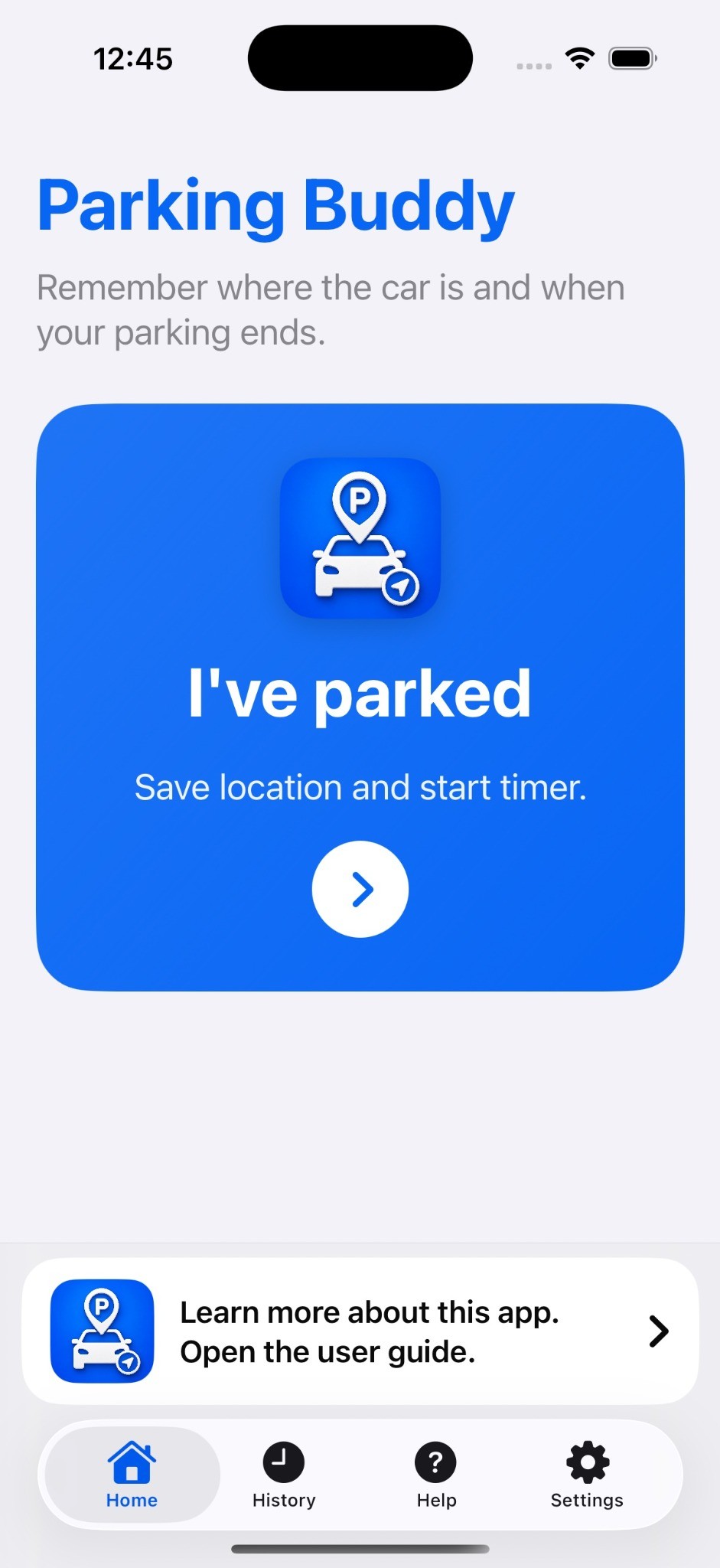
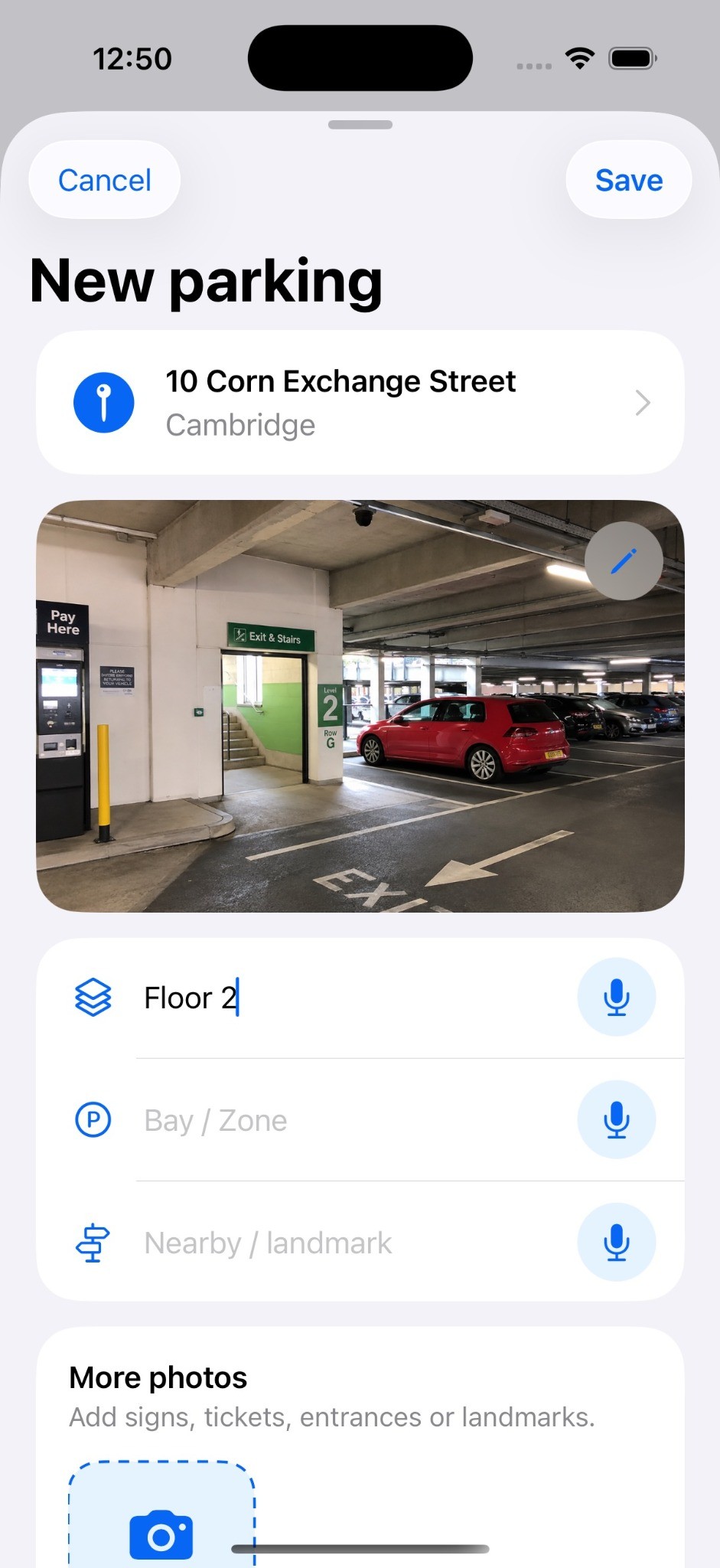
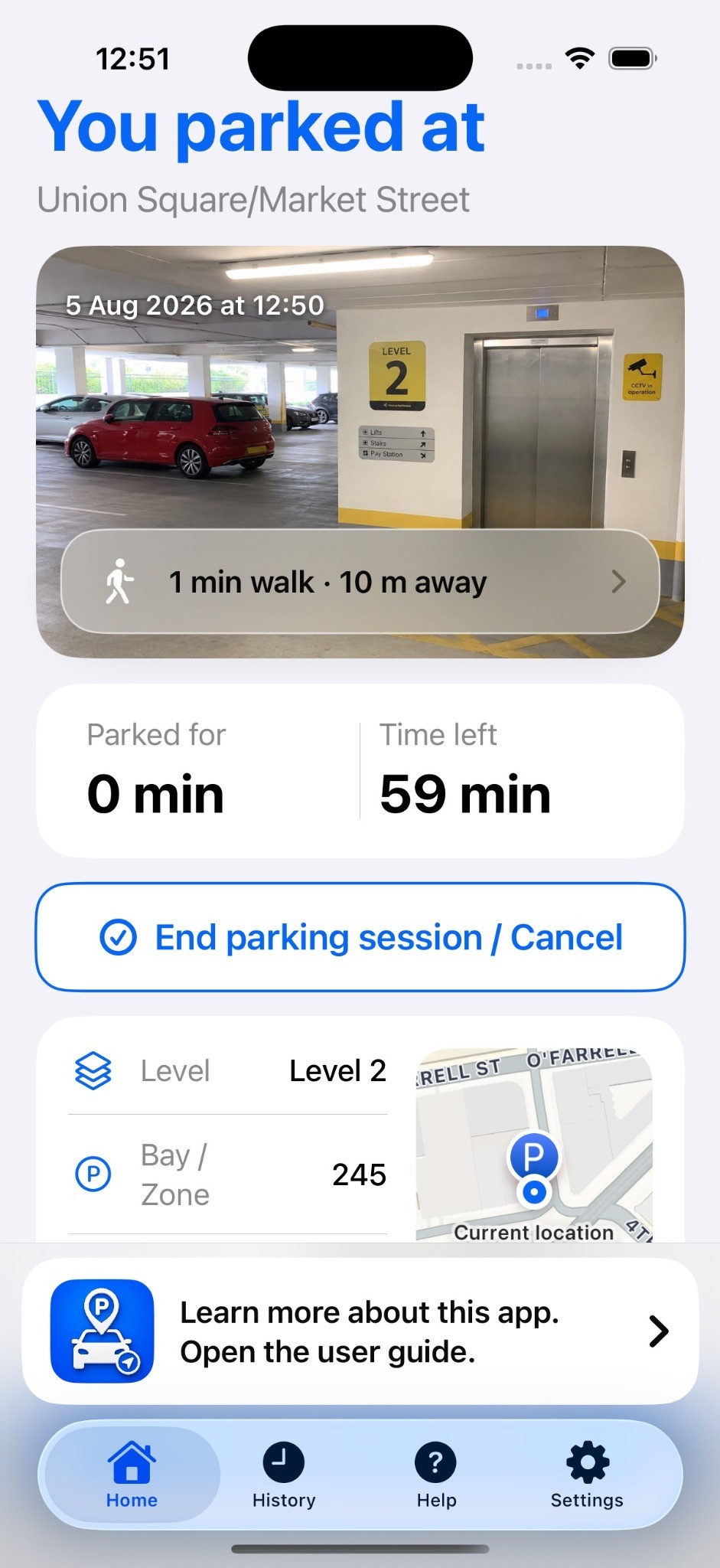
A map may take you back to the car park. My Parking Buddy helps you remember the exact floor, bay, lift, stairs, entrance or landmark.
Capture the parking position and correct it using search, your current location or the map.
Photograph the car, floor sign, lift, stairs, payment machine or nearby entrance.
Save the floor or level, bay or zone, nearby landmark and notes you may need later.
See walking time and distance, then open walking directions to your saved location.
Start with one clear action. Add as much or as little information as the parking situation needs.
The app records the current time and attempts to capture your location.
Save a photo, level, bay, zone, landmark or note before you walk away.
Check your saved details and open walking directions when it is time to go back.
A photograph of a lift, stairwell, floor sign, payment machine or ferry deck can be more useful than coordinates alone.
View the saved parking marker alongside your current position, check walking time and distance, and open Apple Maps for walking directions.
Choose No Limit, a preset duration or a custom expiry time. The app shows how long you have been parked and, where a limit is set, how much time remains.
Completed parking sessions remain searchable in History. Find a record by place, date, note, level, bay, zone or landmark, then use Park here again for a location you visit regularly.
My Parking Buddy was built because a map pin does not always tell you which floor, row, staircase, lift, deck, entrance or landmark you need. It is one of the simple tools created as part of Travel Tools & Tips.
I build the simple apps I wish already existed.